 Aipha Tech
ThenSend for Shopify

Collect custom artwork after payment.
Let customers order first and upload artwork for each custom item later. Review submissions in Shopify and release eligible orders for fulfillment once all required images are approved.
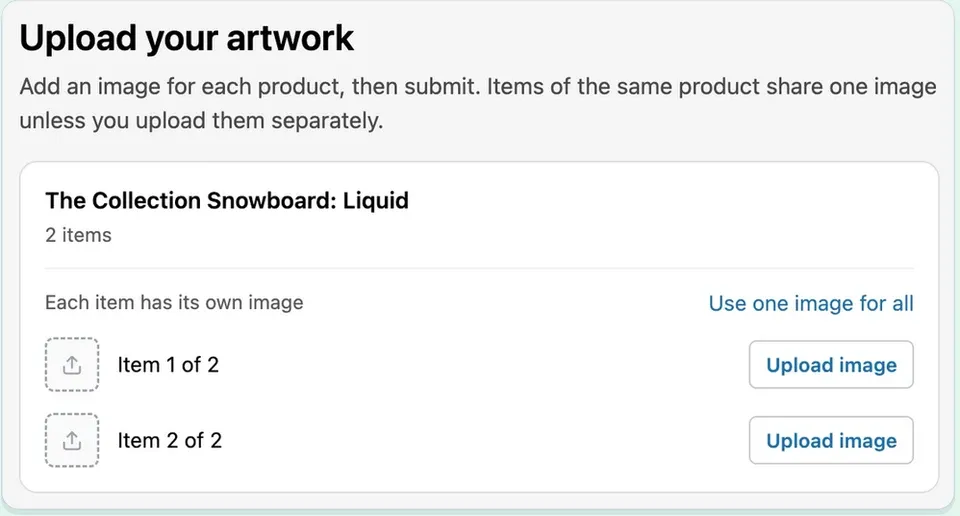
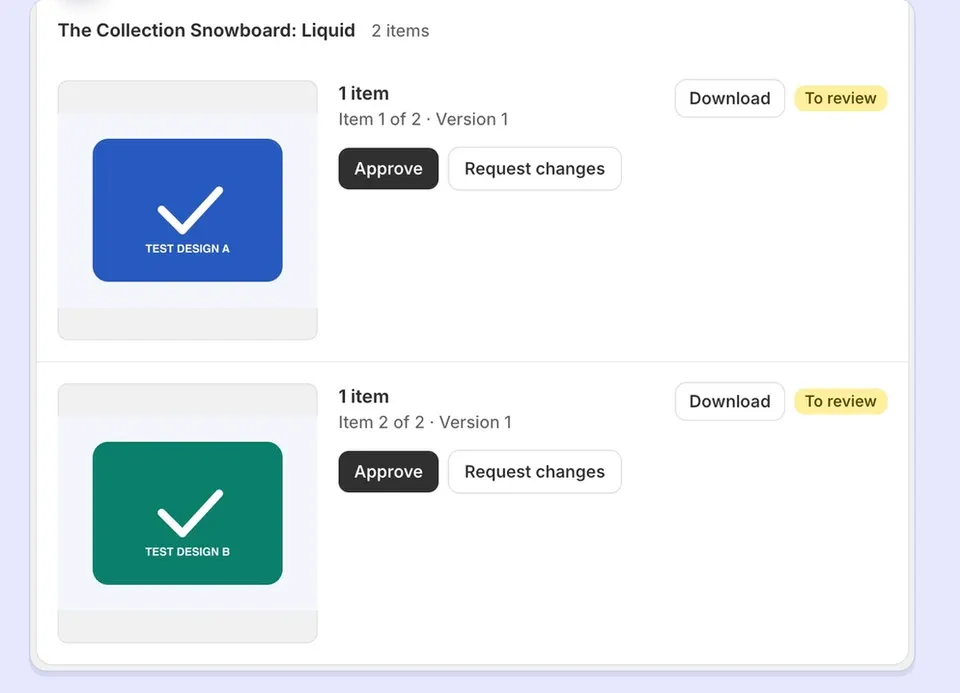
From checkout to approved artwork
Walk through a custom order to see how buyers submit artwork and how merchants review it.
Set up ThenSend in Shopify
Choose the products that need artwork and add the upload entry points to your published checkout.
-
Choose your custom products
Select the products that need an image, set a merchant notification email, and add ThenSend to the Thank You and Order Status pages.
-
Collect images after payment
Each custom unit gets its own upload slot. Buyers can return from a Shopify order page or an email link to finish their submission.
-
Approve artwork and release the hold
Review each image in Shopify Admin. Once every required image is approved, ThenSend releases the hold it placed on an eligible order.
For products made with customer artwork
Collect a photo or design for each custom item in the order.
-
Custom apparel
Collect the design you need to print a shirt, hoodie, or tote.
-
Personalized gifts
Let customers pick a photo for their mug or keepsake after they order.
-
Pet portraits and custom art
Review the reference photo and request a clearer one when needed.
-
Custom print products
Keep the right design attached to each sticker, label, or print order.

Frequently asked questions
What to know before setting up ThenSend.
Which orders can ThenSend automatically hold?
Eligible paid orders ship in one batch from a location you manage. Orders split across locations, handled by a fulfillment service app, or partially shipped require manual handling. ThenSend only releases the hold it placed.
What can customers upload?
Customers can upload one JPG or PNG image up to 10 MB per custom unit and add an optional note. Standard products in a mixed order do not require uploads.
Where do customers upload their images?
Customers can open the upload page from the Thank You page, Order Status page, or an email link. ThenSend can send reminder emails when images are missing.
Can I request a different image?
Yes. Review submissions in ThenSend from Shopify Admin. When you request a replacement, include a reason so the customer can replace the image for that item. Approved images stay in place.
How do I get started?
Install ThenSend from the Shopify App Store and follow the setup checklist in Shopify Admin. You can run a test with a test payment before turning on live collection.
Start collecting artwork after checkout
Install ThenSend and choose which products need an upload.