NightTheme for Shopify
Dark mode for your Shopify store
Add a Light, Dark, and Auto switch to your storefront in minutes. Shoppers pick the mode they like, and you preview it on your own theme before going live. No code needed.
5.0 rating on the Shopify App Store · Free trial on every plan
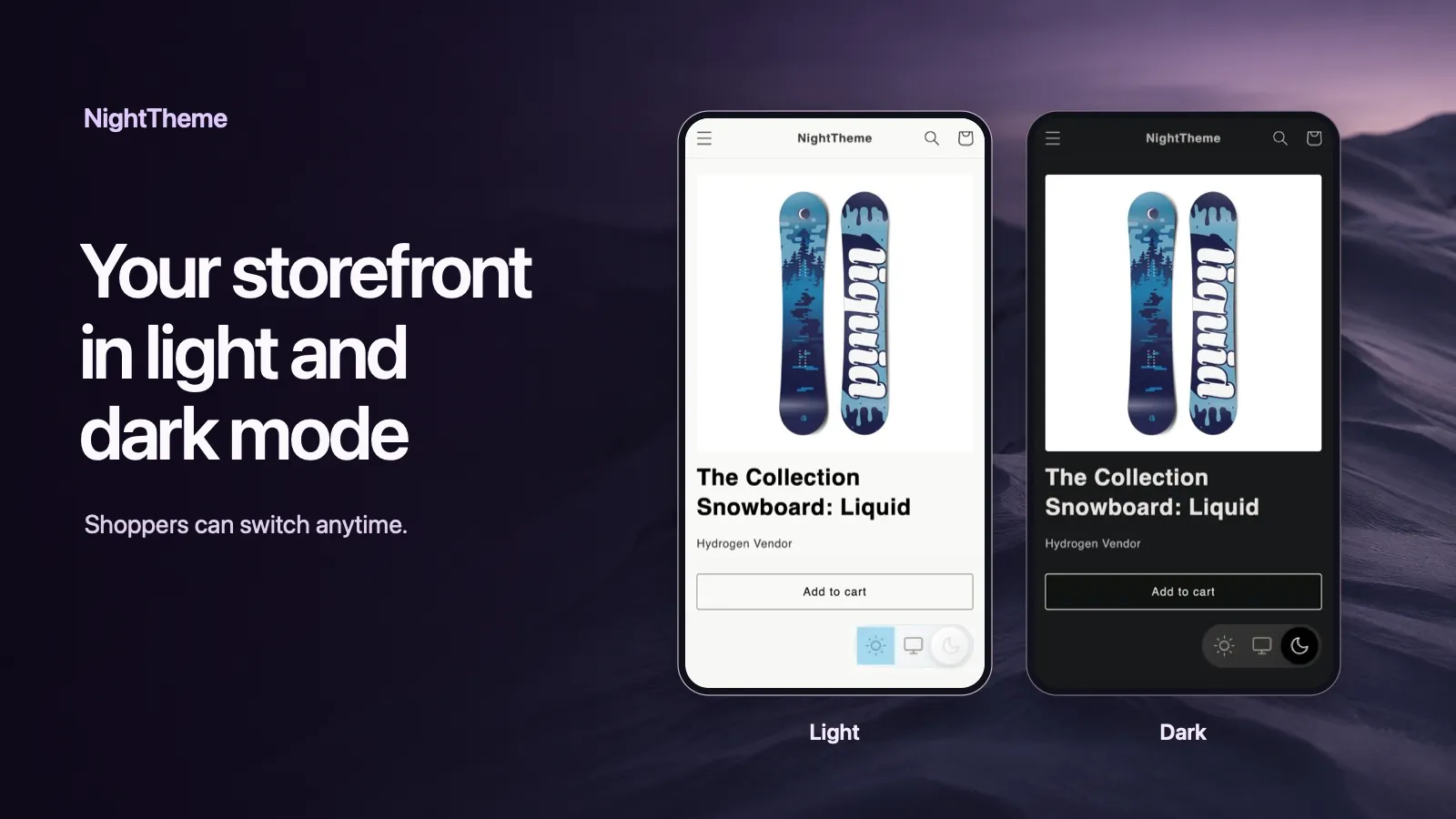
Everything you need for Shopify dark mode
Light, Dark, and Auto modes
Shoppers choose how they browse. Auto follows their device setting, and they can switch anytime.
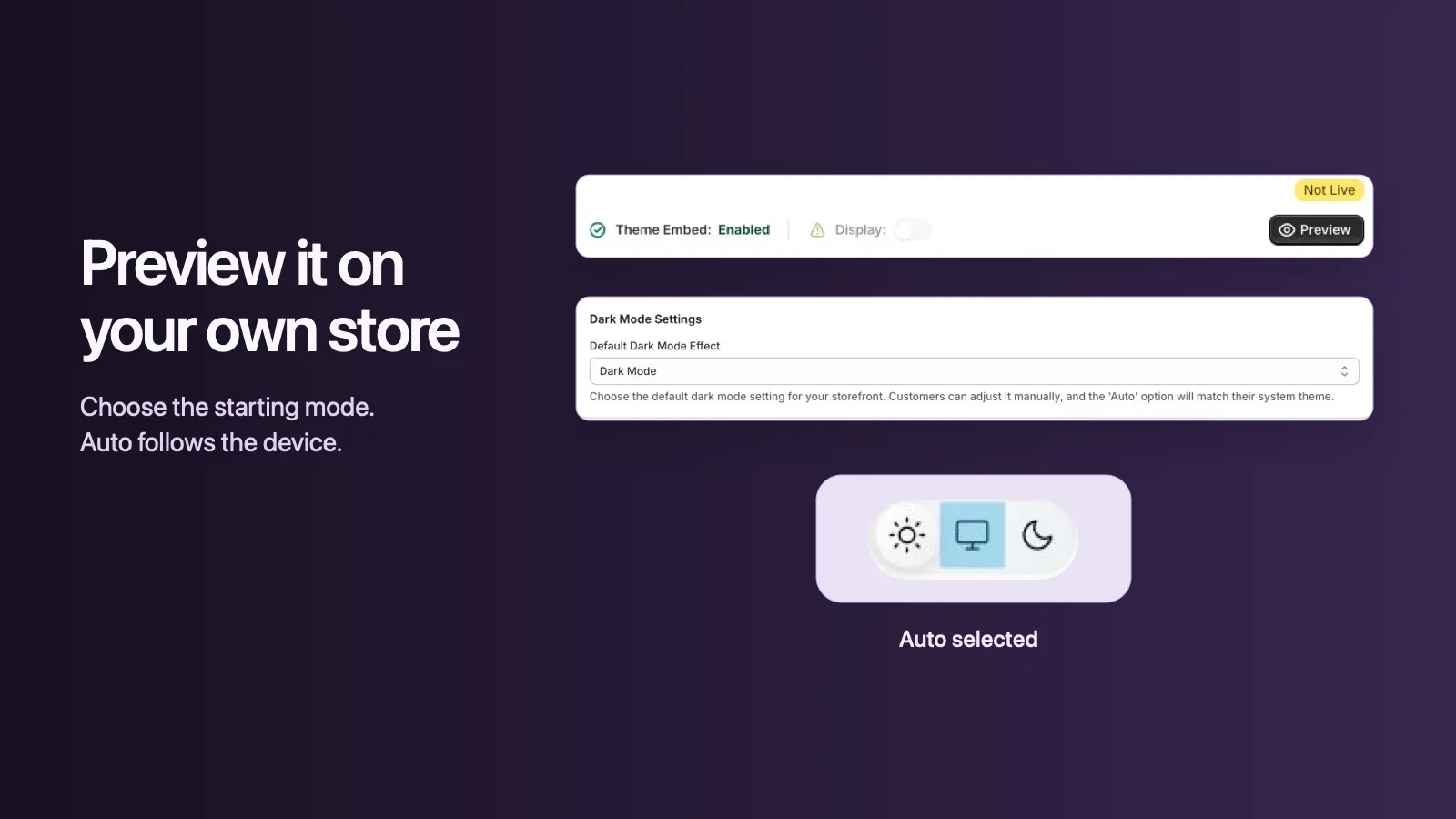
Preview before going live
See dark mode on your own storefront and theme before turning it on for shoppers.
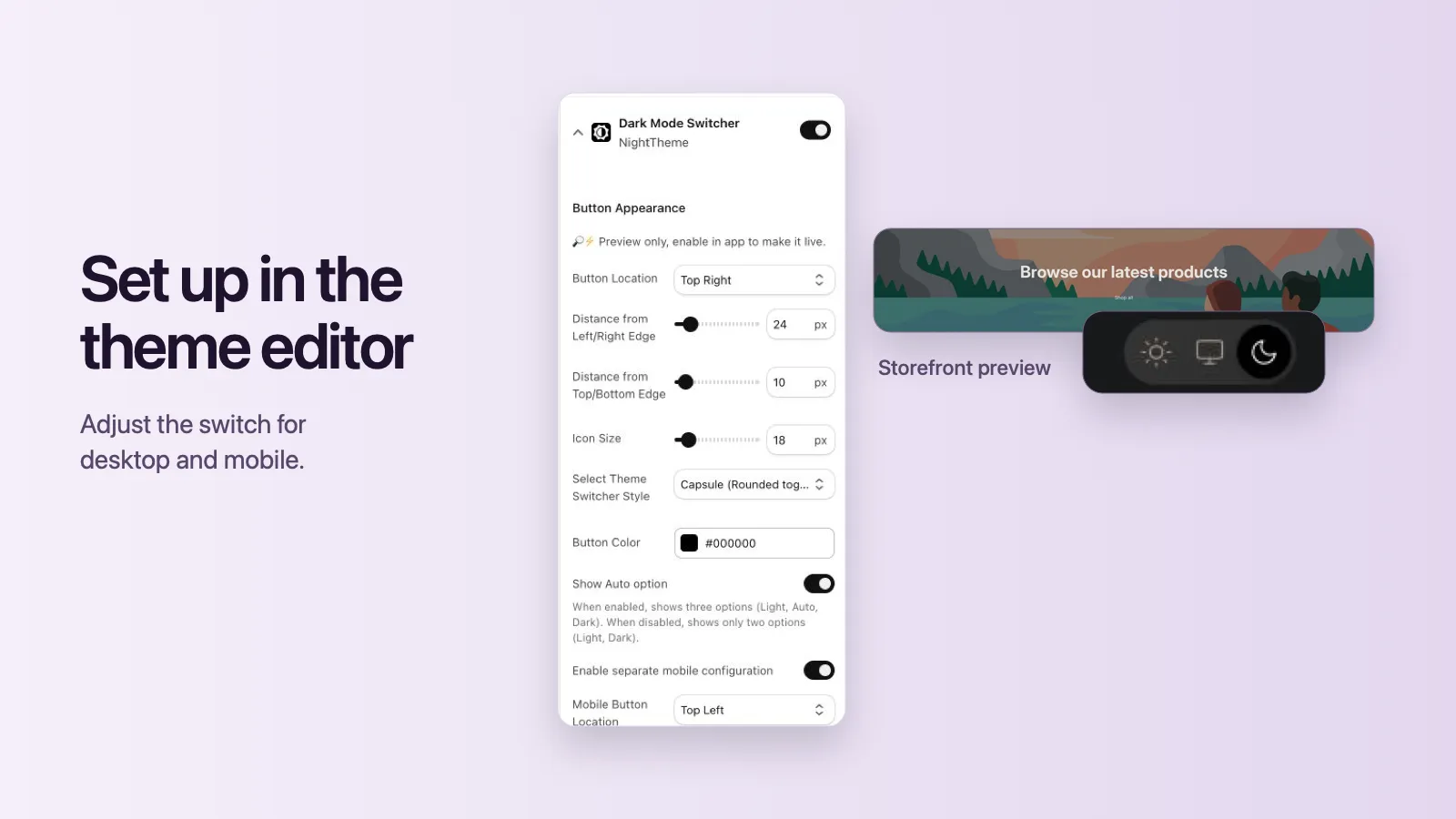
Switch placement for desktop and mobile
Set the switch position, size, style, and color, with a separate layout for mobile.
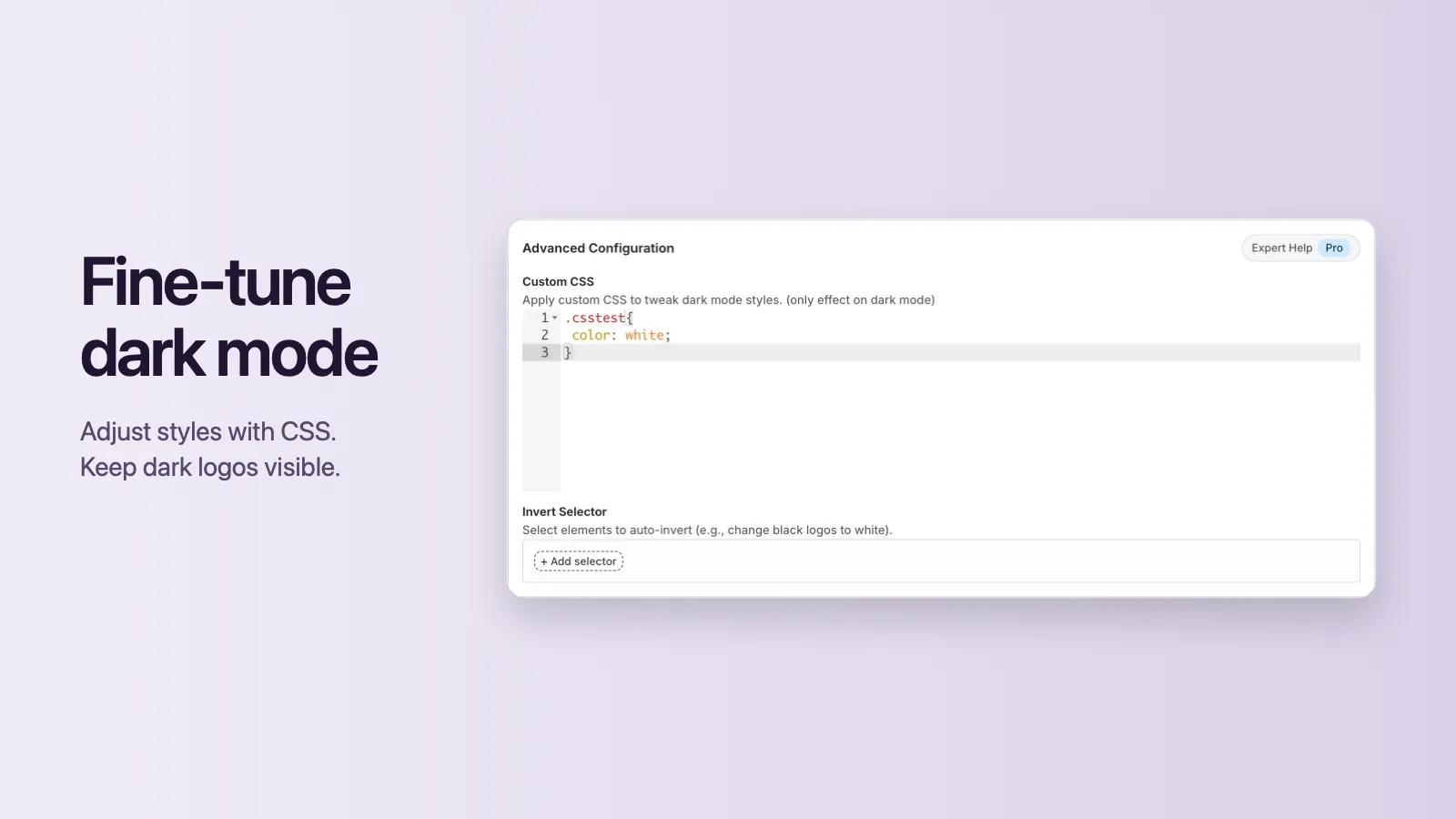
Custom CSS for dark mode
Add CSS rules that only apply in dark mode to fine-tune buttons, backgrounds, and borders.
Invert selector for logos
Keep dark logos and icons visible by inverting them only when dark mode is on.
Flicker-free page loads
Built on DarkReader color technology, so dark mode stays consistent as shoppers move between pages.
How to add dark mode to Shopify
- 1
Install NightTheme
Add the app from the Shopify App Store. Every plan starts with a free trial.
- 2
Turn on the switch in the theme editor
Enable the Dark Mode Switcher app embed, then set where the switch appears on desktop and mobile.
- 3
Pick a default mode and preview
Start shoppers in Light, Dark, or Auto mode, and preview the result on your live theme.
- 4
Fine-tune with custom CSS
Adjust any element that needs it, or invert your logo so it stays visible in dark mode.
Need more detail? Read the step-by-step setup guide.
Would really recommend this app, works really well on my shopify store, the customer support is quick and very helpful with any customisation. Out of all dark mode themes I've used I would say this one is the best.— EQUITY, Australia, Shopify App Store review
Simple pricing
Hobby
$4.99 / month
7-day free trial
- Light, Dark, and Auto modes
- Storefront preview
- Custom switch placement
- Email support
Pro
$9.99 / month
or $99.90/year · 14-day free trial
- All Hobby features
- Priority support
- Expert theme compatibility fixes
Prices in USD. Billing is handled by Shopify.
Shopify dark mode FAQ
How do I add dark mode to my Shopify store?
Install NightTheme from the Shopify App Store, open the theme editor, turn on the Dark Mode Switcher app embed and save. Shoppers then see a switch on your storefront that lets them pick Light, Dark, or Auto. No code is needed.
Does NightTheme work with my Shopify theme?
NightTheme converts your existing theme colors automatically, so it works with most Shopify themes. You can preview dark mode on your own storefront before turning it on for shoppers. If an element needs adjusting, use custom CSS or the invert selector, or contact support. Pro includes expert theme compatibility fixes.
Can dark mode follow the shopper's device setting?
Yes. Auto mode follows the shopper's system preference, and shoppers can still switch manually at any time. You can also hide the Auto option and show only Light and Dark.
My logo disappears in dark mode. How do I fix it?
Add the logo's CSS selector to the invert selector in NightTheme's advanced settings. The logo is then inverted only in dark mode, so it stays visible on a dark background.
Can I change where the dark mode switch appears?
Yes. You can set the switch position, distance from the edge, icon size, style, and color, with a separate configuration for mobile.
Is there a free trial?
Yes. The Hobby plan includes a 7-day free trial and the Pro plan includes a 14-day free trial. Billing is handled by Shopify.
Shopify dark mode guides
Shopify Dark Mode: 3 Ways to Add It to Your Store
Compare the three ways to add dark mode to a Shopify store: a dark color scheme, a custom-coded toggle, or an app. Includes setup steps and a checklist.
How to Add Dark Mode to the Shopify Dawn Theme
Three ways to add dark mode to Dawn: switch to a dark color scheme, add a light/dark toggle with Dawn's CSS variables, or use an app. Step-by-step with code.
How to Add a Dark Mode Toggle Button to Shopify
Add a Light / Dark / Auto toggle to any Shopify theme: remember the shopper's choice, follow their device setting, and avoid the white flash on page load. Code included.
Logo Disappears in Dark Mode on Shopify? 4 Ways to Fix It
A dark logo vanishes on a dark background. Four ways to keep your Shopify logo visible in dark mode: invert it with CSS, swap in a light version, add a backdrop, or use an app setting.
Give your shoppers dark mode today
Install NightTheme from the Shopify App Store and preview it on your own theme before you turn it on.